I recently had a request from a client for a Dashboard that had 12 months of activity as Columns with the rows showing the Current Years activity plus 4 prior years of activity, for comparison purposes to the Current Year. This sounded like a reasonable straightforward request, back in my Hyperion Essbase days I would simply drop 12 months across the top of a Smart View (or way back an Essbase Excel Add-In) retrieval and drop 5 years down the rows. This was easily done as most of the Essbase cubes I dealt with would have Years in one dimension and Months in a separate dimension. However, OneStream does not set up their Time Dimension this way. In OneStream the Time Dimension is Years to Half Years to Quarters to Months, all in the same dimension.
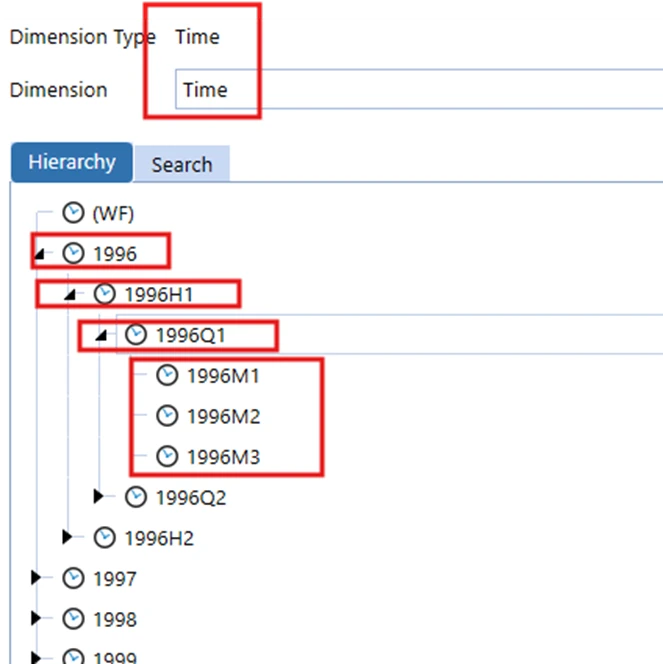
Solution: 1.Using Dynamically Calculated UD8 Members
So, in a Cube View how would you split the Months into Columns and the Years into the Rows? You can’t directly do this. However, there is a way to get what you want in OneStream, what I have found is that there usually is way. In this case I used dynamically calculated UD8 members with member formulas that retrieved the prior year values based on the other Cube View POV members. This, in combination with placing the 12 Months in the Columns and the UD8 Members in the Rows allowed me to get exactly what the Client wanted, Months across the top and Years down the rows.

2.Setting Up UD8 Members for Prior Years
I created 4 UD8 Members, calling them PriorYear1 through PriorYear4. You can create however many you need; in this case the specification was to show 4 years of prior history so I created 4 UD8 Members.
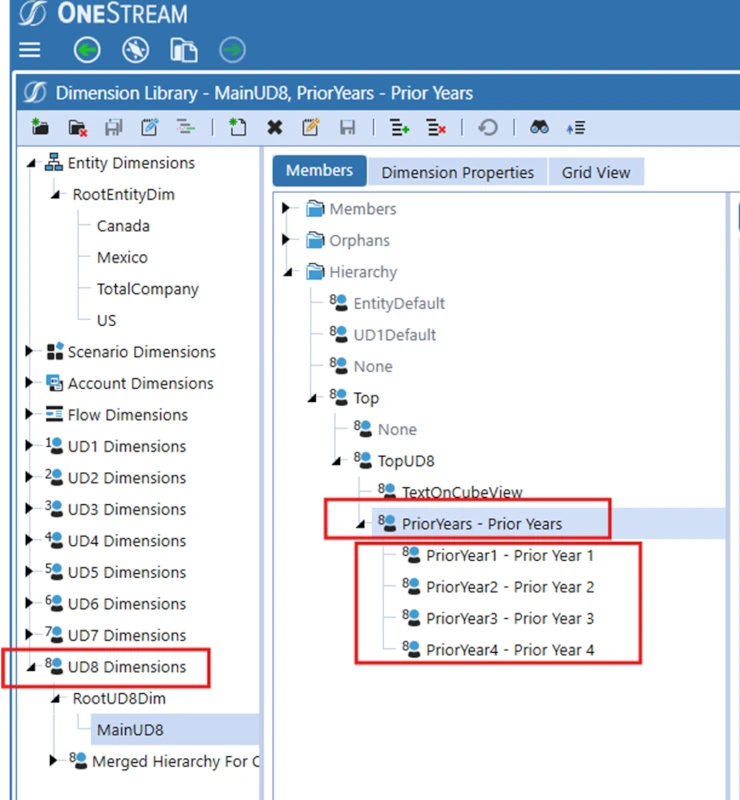
Since these members will have member formulas and be dynamically calculated, I needed to set the Formula Type property on each of these UD8 members to “DynamicCalc”.

3. Creating the Member Formula

Then I need to add a Member Formula to each of these members that would get the prior years value for each data cell in the cube view. There are several points to note in the Member formula that I created.
I used api.pov.time to get the Time Member for the current year (based on the POV of the Cube View data cell).
With that Time Member I then used brapi.finance.time.addyears with a negative value for the number of years to add. A negative value for the parameter subtracts the number of years specified from the Time Member passed to it instead of adding. In this example I am subtracting 1 year, for the member formula for prior year 2 I passed a -2 and so on for the other years to get the correct number of years to go back.
With the prior year determined and the name of the prior year I then used api.data.getdatacell with a UD8 of UD8#None to retrieve the prior year (or prior years) value and return that. It’s important to note that I needed to specify to use UD8#None in the GetDataCell otherwise OneStream would have used the UD8 member that was in the POV which in the case would have been UD8#PriorYear1 which would have returned nothing.
4. Building the Cube View

Now that I had the UD8 Members setup I then created the Cube View, specifying the 12 months of the Current year across the top. Yes, I used the Current Year as columns. The UD8s in the rows will take care of retrieving the prior years.
5. Place the UD8 Members in the rows
Then I placed the UD8 Members in the rows. Note that I first of all placed the U8#None member in the row, then the UD8 Prior Year members. I needed the U8#None member in order to show the current year’s data. Also, I gave the U8#None member a name of “Current Year” on the cube view for visual display purposes.
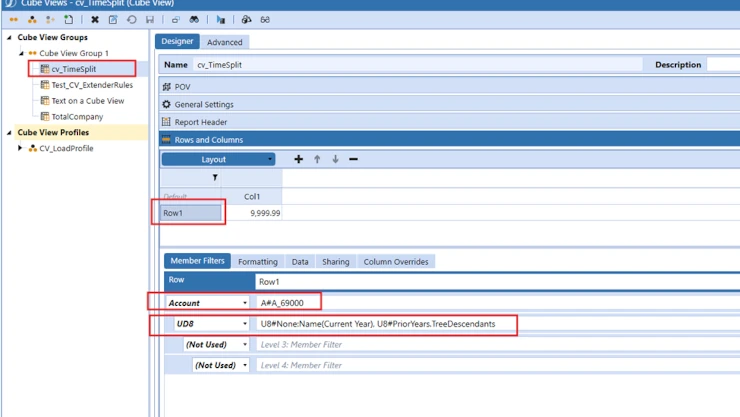
Now when I run the cube view, I have 12 months across the columns and 5 years of history in the rows. I split time and the Client was happy!

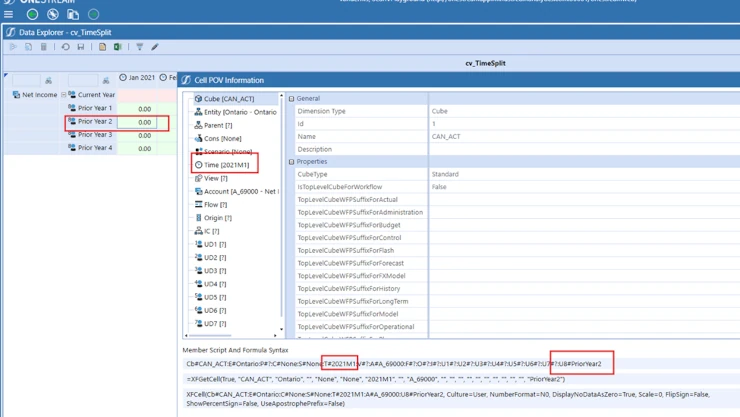
It should be noted that if you right click on a cell and look at the Cell POV Information for a Prior Year data point, although you will be looking at prior year data, that the Time Member will be for the Current Year. This is because that is the time POV for the Cube View, it’s the dynamic calc UD8 members that are pulling the prior year data values based on the current year Time Member.