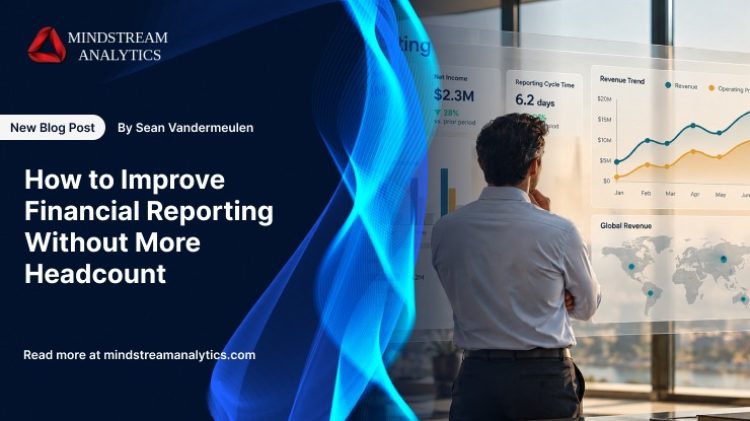
As businesses grow, financial reporting becomes more demanding. New entities, additional systems, and increasingly complex reporting requirements create more data to reconcile, more outputs to validate, and more stakeholders to support. For finance teams already working at capacity, keeping up with these demands can mean spending more time on manual reporting tasks and less on analysis, forecasting, and strategic decision-making.
Adding headcount may provide short-term relief, but it does not address the process inefficiencies that drive the workload. Disconnected financial data, inconsistent definitions, repetitive reconciliations, manual approvals, and fragmented workflows can all slow reporting and increase rework. As complexity grows, these issues can place further pressure on existing teams and make it harder to deliver timely, consistent, and reliable financial information.
Improving financial reporting without expanding the team requires a more structured approach. By identifying bottlenecks, standardizing financial data, automating repeatable workflows, enabling governed self-service, and clarifying reporting ownership, finance teams can reduce unnecessary manual effort while maintaining appropriate controls and oversight.
This guide outlines six practical steps to improve financial reporting efficiency, strengthen consistency, and create more capacity for higher-value finance work—without making additional headcount the default solution.
Here’s how to determine where improvements can have a measurable impact:
- Identify and eliminate manual financial reporting bottlenecks
- Unify financial data across disconnected systems
- Use financial reporting automation for recurring workflows
- Enable governed self-service financial reporting
- Standardize reporting processes and ownership
- Use AI and continuous optimization to scale reporting
Identify Financial Reporting Bottlenecks
Step 1: Identify and Eliminate Manual Financial Reporting Bottlenecks

Three professionals collaborate on financial reporting, analyzing revenue trends, operating profit, expense breakdowns, and quarterly performance across a tablet dashboard and printed financial statements.
What It Is
Financial reporting bottlenecks are process issues that delay the preparation, validation, review, or distribution of financial information. They may stem from unclear responsibilities, unnecessary approval stages, inconsistent procedures, disconnected systems, or repetitive manual activities.
Identifying these bottlenecks requires more than listing time-consuming tasks. Finance leaders need to understand how information moves through the reporting cycle, where delays occur, what causes rework, and which dependencies prevent teams from completing activities on time.
The goal is to establish a clear picture of the existing reporting process, identify the root causes of inefficiencies, and determine which areas should be prioritized for financial reporting automation before introducing new technology.
Before making changes, measure the effort involved in recurring financial reporting activities. Track reporting-cycle hours, reconciliation and rework effort, recurring manual requests, approval delays, discrepancy-resolution time, and other repeatable tasks. Establishing a baseline helps Finance teams identify where capacity is being consumed and compare results after process improvements are introduced.
The most visible reporting delay is not always the largest source of wasted effort. Repeated mapping corrections, reconciliations, validation, and approval handoffs may consume substantial capacity across the reporting cycle. Identify these recurring causes before selecting processes for improvement or automation.
How It Works
- Map the reporting process: Document each stage of the financial reporting cycle, including data collection, validation, consolidation, review, approval, and distribution. Identify the systems, teams, and handoffs involved.
- Identify process inefficiencies: Examine reporting delays, repeated approvals, unclear ownership, inconsistent procedures, and recurring sources of rework. Distinguish root causes from the symptoms they create.
- Measure reporting performance: Track reporting cycle times, time spent on individual activities, error frequency, missed deadlines, and the volume of corrections required.
- Assess dependencies and risks: Identify activities that rely on specific employees, unavailable data, manual coordination, or sequential approvals. Determine how these dependencies affect reporting timelines and continuity.
- Prioritize improvement opportunities: Evaluate bottlenecks based on their impact, frequency, resource requirements, and suitability for process redesign or financial reporting automation. Address the issues with the greatest operational impact first.
Real-World Example
Plaskolite worked with MindStream Analytics to modernize its consolidation and financial reporting processes using OneStream. The initiative reduced reliance on manual spreadsheet work, streamlined reporting activities, and gave the finance team more time to focus on financial analysis.
This example demonstrates how addressing process inefficiencies can help create additional capacity without making headcount the only lever for addressing workload.
Read About Plaskolite’s Case Study Here
What this demonstrates: Reporting bottlenecks can extend beyond report preparation. Understanding where consolidation work, spreadsheet dependencies, and repeated manual activities consume time can help Finance teams identify which improvements are likely to create meaningful financial reporting capacity.
Why It Matters
Identifying the causes of reporting delays helps finance leaders prioritize improvements based on their operational impact. Reducing recurring reconciliation work, manual corrections, and approval delays can create more capacity for forecasting, variance analysis, and business planning.
Step 2: Unify Financial Data Across Disconnected Systems

A finance professional reviews financial reporting data to examine how information from disconnected systems feeds into a unified financial data model.
What It Is
Financial data is often distributed across enterprise resource planning (ERP) platforms, customer relationship management (CRM) systems, billing applications, spreadsheets, and departmental tools. Each system may use different account codes, entity identifiers, naming conventions, currencies, or data structures.
These inconsistencies make it difficult to consolidate information and establish a consistent view of business performance. Finance professionals may spend considerable time matching records, resolving discrepancies, and confirming which figures should be used in financial reporting.
A unified financial data model connects relevant sources through consistent definitions, mappings, and structures. This does not necessarily mean moving every data point into one application. Instead, it creates a governed data foundation that supports accurate consolidation, consistent calculations, and reliable analysis.
A governed data foundation supports financial reporting automation by providing recurring workflows with structured, consistent information. System integration alone is not enough: mappings, definitions, ownership, and validation procedures must also be standardized. Otherwise, automation may reproduce existing data-quality issues rather than eliminate them.
MindStream’s OneStream implementation expertise can help organizations integrate relevant systems, align financial data, and establish governed reporting structures based on their business requirements.
How It Works
- Identify relevant data sources: Inventory the ERP systems, spreadsheets, and departmental platforms used for reporting. Document data owners, update frequencies, and dependencies between sources.
- Align financial definitions: Establish consistent definitions for account codes, entity identifiers, currencies, reporting periods, and key financial data across relevant systems.
- Map financial data: Map local charts of accounts, entity structures, and organizational hierarchies to common enterprise definitions. Review mapping changes and resolve unmatched records before consolidation.
- Integrate and validate financial data: Connect relevant source systems and define how information is transferred, transformed, and refreshed. Use reconciliation checks to identify missing or duplicate records, inconsistent values, and data quality issues, with clear ownership for resolving discrepancies.
Real-World Example
Urban Grid partnered with MindStream Analytics to implement OneStream for financial planning, analytics, consolidation, and financial reporting automation. The solution integrated NetSuite, supported complex ownership structures, and enabled detailed cash flow reporting. By reducing reliance on Excel-based processes and accommodating evolving reporting requirements, the implementation illustrates how a connected financial data foundation can support more scalable reporting operations.
Read About Urban Grid’s Case Study Here
What this demonstrates: Connecting financial systems is only part of building a reliable reporting environment. Consistent data definitions, ownership structures, and validated mappings are also important for producing consolidated information that Finance teams can use with confidence.
Why It Matters
A unified financial data foundation gives Finance teams a more consistent basis for consolidation and analysis. It also makes discrepancies easier to trace to their source, provided that data mappings, validation, and ownership are maintained.
Step 3: Use Financial Reporting Automation for Recurring Workflows

A finance professional monitors financial reporting automation through dashboards that visualize data integration, report generation, approval workflows, performance trends, and exceptions.
What It Is
Financial reporting automation uses technology to configure and execute repeatable reporting activities with less manual intervention. Once suitable processes have been identified, finance teams can define workflows for data collection, validation, consolidation, calculations, report generation, and distribution.
Effective financial reporting automation begins with clearly documented requirements, standardized business rules, defined approval responsibilities, and procedures for handling exceptions. Rather than automating every activity, teams should focus on workflows with predictable inputs and repeatable steps, while retaining human oversight for complex reviews and financial decisions.
Financial reporting automation should be prioritized based on both the manual effort involved and the complexity of implementation. Process discovery, data preparation, workflow configuration, testing, user training, and ongoing maintenance all require resources.
Starting with repeatable activities that involve significant manual effort and have clearly defined rules can make it easier to measure the value of improvements before extending automation to more complex processes.
In practice, the strongest candidates are often the workflows Finance teams perform repeatedly under time pressure, where the rules are already well understood but execution still depends on spreadsheets, manual handoffs, or repeated checks.
How It Works
- Select workflows for automation: Use the findings from process discovery to identify recurring activities with clear rules, predictable inputs, and significant manual effort.
- Define workflow requirements: Document data dependencies, reporting calculations, validation rules, approval stages, expected outputs, and exception-handling procedures.
- Configure automated processes: Set up relevant integrations, scheduled data imports, standardized calculations, consolidation routines, and report-generation workflows based on approved requirements.
- Establish exception handling: Define how the workflow should flag missing data, failed validations, unusual variances, and incomplete submissions. Assign responsibility for investigating and resolving exceptions.
- Test workflow functionality: Run test cycles using representative data to check calculations, data mappings, approval steps, and process behavior under different scenarios.
- Validate reporting outputs: Compare automated reports with approved source data and existing outputs. Resolve discrepancies, obtain finance team sign-off, and refine workflows before broader deployment.
- Monitor and refine financial reporting automation: Track workflow performance, processing errors, reporting cycle times, and user feedback to identify areas requiring adjustment as business requirements change.
Real-World Example
SourceCode worked with MindStream Analytics to modernize its financial reporting and consolidation processes using OneStream. The implementation introduced a consolidated chart of accounts, on-demand reporting, and automated intercompany eliminations. These capabilities helped reduce manual reporting activities and establish a more scalable finance environment, demonstrating how standardized data and automated workflows can support reporting improvements.
Read About SourceCode’s Case Study Here
What this demonstrates: Financial reporting automation becomes more scalable when standardized account structures and consolidation processes are addressed alongside report generation. Automating an isolated reporting task while leaving inconsistent underlying structures unresolved can limit the value of the wider improvement effort.
Why It Matters
Financial reporting automation makes recurring reporting activities more consistent and repeatable. Standardized calculations and validation checks help identify exceptions for review, allowing Finance professionals to focus on material adjustments, investigate unusual results, and maintain reporting accuracy.
What is the difference between financial close and financial reporting?
Financial close is the process of finalizing financial transactions for a specific period through reconciliations, adjustments, and account reviews. Financial reporting uses the finalized data to prepare financial statements, management reports, and other outputs that communicate business performance to stakeholders.
Step 4: Enable Governed Self-Service Financial Reporting
What It Is
Self-service financial reporting enables authorized stakeholders to access relevant financial information through dashboards, standardized reports, and analytical tools without submitting every request to the finance team.
Executives, department heads, and business unit leaders often need recurring updates on expenses, budget utilization, revenue, forecasts, and performance against targets. Preparing these reports individually can consume substantial finance capacity, particularly when the same information is requested in different formats.
Role-based dashboards, standardized metrics, and drill-down capabilities allow users to explore relevant information independently. However, self-service must operate within established access permissions and governance controls to protect confidential information and ensure stakeholders work with consistent definitions.
Financial reporting automation can complement governed self-service by making approved information available through more consistent reporting workflows and reducing the need for repeated manual preparation.
How It Works
- Identify stakeholder reporting needs: Determine which financial metrics, reports, and performance indicators executives, department heads, and business unit leaders regularly require. Distinguish recurring information needs from occasional, specialized analysis.
- Develop role-based dashboards: Create dashboards that present relevant KPIs, financial trends, budget comparisons, and performance indicators for each user group. Keep views focused on the information users need to make decisions.
- Configure governed access: Apply role-based permissions and appropriate data restrictions to protect confidential financial information. Define who can view, filter, export, or modify specific datasets and reports.
- Enable independent analysis: Provide filtering, drill-down functionality, and standardized financial reporting definitions so stakeholders can investigate relevant metrics themselves. Ensure users can trace summary figures to appropriate supporting information.
- Train users and monitor adoption: Provide practical guidance on interpreting dashboards and using reporting features. Collect feedback, monitor usage, and identify gaps that continue to generate manual requests.
Why It Matters
Governed self-service gives authorized stakeholders direct access to approved financial metrics and reports, helping them investigate variances and make decisions without waiting for individually prepared updates. Finance retains control over reporting definitions and access permissions while focusing its attention on complex analysis and decisions that require financial expertise.
What is the difference between financial reporting and management reporting?
Financial reporting typically communicates an organization’s financial position and performance through structured statements for internal and external stakeholders. Management reporting focuses on operational performance, budgets, forecasts, and business metrics to support internal planning, resource allocation, and decision-making. The two may share underlying data.
Step 5: Standardize Reporting Processes and Ownership
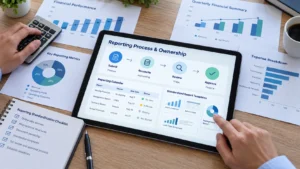
A finance professional reviews financial reporting processes, examining reporting deadlines, team responsibilities, approval workflows, standardized templates, and financial performance metrics to support consistent reporting.
What It Is
Inconsistent financial reporting templates, deadlines, approval procedures, and handoffs can create additional work, even when the underlying financial data is accurate. Different departments may submit information in different formats, follow conflicting timelines, or use separate review procedures, leading to repeated clarification and rework.
Standardizing reporting processes means establishing consistent templates, reporting calendars, workflows, documentation, and responsibilities. Clear ownership across finance, FP&A, accounting, and operational teams helps ensure that each financial reporting activity has an accountable person or group.
Standardization does not mean every entity must follow an identical process regardless of its requirements. Organizations can maintain common reporting procedures while accommodating legitimate statutory, regulatory, and local reporting differences.
For organizations with specialized reporting requirements, industry-specific accelerators can help support implementation by providing relevant starting points for workflows and reporting processes. These can be adapted to an organization’s operating structure, while maintaining the controls and flexibility needed for its specific financial reporting obligations.
How It Works
- Standardize reporting templates and submission formats: Establish consistent report layouts, data submission requirements, and documentation procedures to reduce discrepancies and repeated clarification across departments.
- Assign clear process ownership: Define responsibilities for data submissions, reconciliations, reviews, adjustments, and final approvals. Make ownership visible to everyone involved in the reporting cycle.
- Create a centralized reporting calendar: Set deadlines for data collection, reconciliations, reviews, approvals, and report distribution across business units. Communicate dependencies and escalation procedures for missed deadlines.
- Document workflows and controls: Maintain clear procedures for reporting activities, exception handling, approvals, and audit trails. Keep documentation accessible and update it when processes, systems, or responsibilities change.
- Review compliance and process performance: Monitor reporting delays, incomplete submissions, unresolved discrepancies, and deviations from established procedures. Use recurring reviews to identify process gaps and agree on corrective actions.
Why It Matters
Standardized reporting processes improve accountability and continuity by clarifying responsibilities, deadlines, and review requirements. Documented workflows also support auditability and make it easier to identify recurring process gaps as reporting needs evolve.
What should a monthly financial report include?
A monthly financial report commonly includes an income statement, balance sheet, cash flow information, budget-to-actual comparisons, and explanations of significant variances. Depending on the audience, it may also include key performance indicators, prior-period comparisons, and relevant commentary to support financial review.
Step 6: Use AI and Continuous Optimization to Scale Reporting
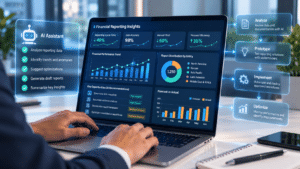
A finance professional uses AI-assisted financial reporting tools to analyze performance trends, identify optimization opportunities, and monitor workflows from data analysis and prototyping to implementation and continuous improvement.
What It Is
MindStream’s AI-driven adaptive implementation approach uses AI-assisted analysis of an organization’s existing finance environment, including spreadsheets, reports, process documentation, mappings, requirements, and systems—to develop an initial working prototype.
Finance stakeholders evaluate that prototype, clarify requirements, and identify reporting processes that should be standardized, automated, integrated, governed, or redesigned. MindStream then applies its Finance and OneStream expertise, automation capabilities, governance, and controls to refine the solution. AI agents support analysis, rebuilding, and testing, while Finance stakeholders validate business requirements and decisions, and MindStream remains accountable for implementation quality.
How It Works
- Understand the current finance environment: Review existing systems, spreadsheets, reports, mappings, requirements, process documentation, and reporting workflows to establish what exists and identify areas for improvement.
- Create a working prototype using the customer’s own information: Use AI-assisted analysis and relevant business information to rapidly create an initial working version of the proposed reporting environment.
- Let Finance stakeholders experience and evaluate the solution: Allow Finance stakeholders to work with the prototype, identify inefficient or unnecessarily manual processes, clarify requirements, and determine what should be standardized, automated, governed, integrated, or redesigned.
- Improve and rebuild the solution: Apply MindStream’s Finance and OneStream expertise, automation capabilities, governance, and controls to address stakeholder feedback and improve the working solution. AI agents can accelerate analysis, rebuilding, testing, and other repetitive implementation activities while qualified professionals retain responsibility for decisions and approvals.
- Repeat until the desired state is reached: Use stakeholder feedback, working versions of the application, and implementation insights to progressively refine the solution. Continue the cycle until the desired reporting environment and requirements have been sufficiently defined and validated.
- Move through validation, deployment, and go-live: Complete formal validation, testing, approvals, deployment, and go-live once the desired state has been reached. Continue to monitor performance and optimize the environment as reporting structures, systems, and business requirements evolve.
Why It Matters
An adaptive implementation approach helps finance teams clarify requirements through hands-on evaluation rather than having to define every future-state requirement upfront. This can make it easier to identify the changes that best support reporting needs as they become clearer.
MindStream remains accountable for solution design, architecture, controls, and implementation quality, with Finance stakeholders validating business requirements and decisions. After implementation, AppCare managed services can support continued optimization as reporting structures, systems, and business requirements evolve.
Common Mistakes to Avoid When Improving Financial Reporting
Avoid these common mistakes when improving financial reporting. Use the checklist to confirm that automation is supported by standardized data, defined ownership, appropriate access controls, stakeholder readiness, and ongoing validation.
| Do | Don’t |
|---|---|
| Assess existing workflows before introducing financial reporting automation. | Automate inefficient processes without reviewing them. |
| Standardize data definitions, mappings, and reporting hierarchies. | Assume system integration automatically resolves data inconsistencies. |
| Prioritize repetitive and rules-based reporting activities. | Automate processes that require unverified financial judgment. |
| Implement role-based dashboards with governed access. | Provide unrestricted access to sensitive financial data. |
| Define clear ownership for reporting inputs and approvals. | Delegate responsibilities without assigning accountability. |
| Involve stakeholders early and provide relevant training. | Introduce new reporting tools without preparing users. |
| Maintain human review for exceptions and material adjustments. | Rely entirely on automated outputs without validation. |
| Track efficiency and continuously refine workflows. | Treat implementation as the end of process improvement. |
Scale Financial Reporting Without Expanding Your Finance Team
Improving financial reporting without adding headcount requires finance teams to address the sources of recurring manual effort. Standardized financial data, automated workflows, governed self-service, and clear reporting ownership can reduce rework, improve consistency, and create more capacity for analysis, forecasting, and decision-making.
MindStream Analytics combines Finance and OneStream expertise with an AI-driven adaptive implementation methodology. AI agents support solution development and refinement, while MindStream remains accountable for implementation quality and finance stakeholders validate requirements and decisions. With AppCare managed services, organizations can continue optimizing their reporting environment as business needs evolve.
Identify Your Financial Reporting Improvement Priorities
Discuss where manual reporting, fragmented data, and recurring reconciliations are consuming your finance team’s capacity. MindStream can help you evaluate opportunities to improve reporting efficiency while maintaining appropriate governance and controls.
FAQs
1. How can I improve financial reporting without increasing my finance team’s workload?
Start by measuring where financial reporting capacity is being consumed, then prioritize repetitive workflows, reconciliation effort, manual data handling, and recurring information requests. Addressing these areas can reduce avoidable workload while allowing your existing team to spend more time on analysis, review, and decision-making.
2. How can I automate financial reporting without compromising accuracy or compliance?
To automate financial reporting responsibly, establish clear validation rules, maintain audit trails, and apply appropriate access controls. Keep finance professionals involved in reviewing exceptions, investigating material variances, and approving final outputs to support reporting accuracy and compliance.
3. How should I prioritize workflows for financial reporting automation when my team has limited capacity?
Start by assessing which recurring tasks consume the most time, cause frequent delays, or require substantial rework. Prioritize workflows with predictable inputs and clearly defined rules, then consider their business impact, implementation effort, and control requirements before expanding financial reporting automation.
4. How can I get my finance team to adopt automated financial reporting systems?
Involve finance and business stakeholders in solution design and give them opportunities to review workflows before deployment. Provide role-specific training, explain how automated financial reporting will affect daily responsibilities, and offer ongoing support to address concerns and encourage adoption.
Improve Financial Reporting Efficiency Without Expanding Your Team
- Identify bottlenecks and reduce recurring reporting rework.
- Unify financial data to improve consistency and accuracy.
- Automate repetitive reporting workflows to save time.
- Enable self-service access to reduce routine reporting requests.
- Standardize processes and clarify reporting responsibilities.
- Use AI and continuous optimization to scale reporting operations.
These improvements help finance teams reduce manual effort, maintain reliable reporting, and dedicate more time to analysis, forecasting, and strategic decision-making.