OneStream

OneStream Dashboard Button security for administrators

OneStream Dashboard Button: Powerful Secure Admin Setup

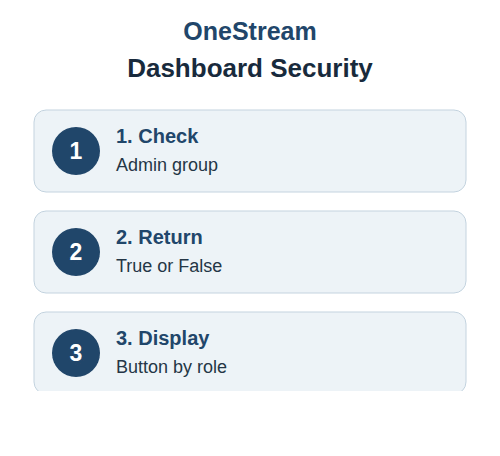
Configure Admin-Only Visibility for a OneStream Dashboard Button A OneStream Dashboard Button can protect sensitive actions without creating separate dashboards for every role. In this example, the Save control remains available to the Administrator group and hidden from everyone else. The solution combines a Dashboard XFBR business rule with BRapi.Security.Authorization.IsUserInAdminGroup. The function evaluates the signed-in […]
Read more
OneStream CSV custom table load

OneStream CSV Custom Table Load: Powerful Button Guide

OneStream CSV custom table load gives finance teams a clearer, governed process for this common OneStream task. How OneStream CSV custom table load Works Ultimately this article will show how to load a CSV File containing to columns of data into a custom SQL Table sitting in the application database using BRApi.Utilities.LoadCustomTableUsingDelimitedFile I have already […]
Read more
OneStream business rule performance multithreading guide

OneStream Business Rule Performance: Proven Power Tips

OneStream business rule performance depends on matching parallel execution to CPU-bound work, safe data access, and measurable tests. With today’s multi-core processor servers, using concurrent programming can significantly boost the performance of your Business Rule Code. One common scenario where concurrency shines is looping through large datasets or performing repetitive tasks. By multithreading these loops, […]
Read more
OneStream confirmation rules data quality results

OneStream Confirmation Rules: Powerful Data Quality

OneStream confirmation rules validate processed data before a workflow advances, helping finance teams identify exceptions while they can still be corrected. When it comes to managing business operations, effective communication is key. OneStream’s Confirmation Rules feature is a powerful addition that can provide data quality checks to incoming data. These rules promote accountability and transparency. […]
Read more

OneStream Workflow Calculation Definitions: Powerful Guide

OneStream Workflow Calculation Definitions provides a practical, governed approach for this OneStream reporting or workflow requirement. How OneStream Workflow Calculation Definitions Work When managing the trigger of data consolidations and calculations, OneStream’s Workflow Calculation Definitions feature is a powerful out-of-the-box tool that can ensure users view data that has been calculated, translated, and consolidated as […]
Read more
OneStream Excel icon troubleshooting

OneStream Excel Icon Troubleshooting: Proven Guide

OneStream Excel icon troubleshooting gives finance teams a clearer, governed process for this common OneStream task. How OneStream Excel icon troubleshooting Works As a OneStream user, you know how essential and valuable the Excel Add-In can be. Ad-hoc reporting, CubeViews, QuickViews, cell-specific retrieval functions, and other ways to work with your OneStream data within the […]
Read more
OneStream divide by zero formatting

OneStream Divide by Zero Formatting: Proven Guide

OneStream divide by zero formatting gives finance teams a clearer, governed process for this common OneStream task. How OneStream divide by zero formatting Works While working in OneStream, users may experience formatting issues when trying to get a ratio by dividing a specific POV by another POV. A formatting issue happens when the denominator is […]
Read more
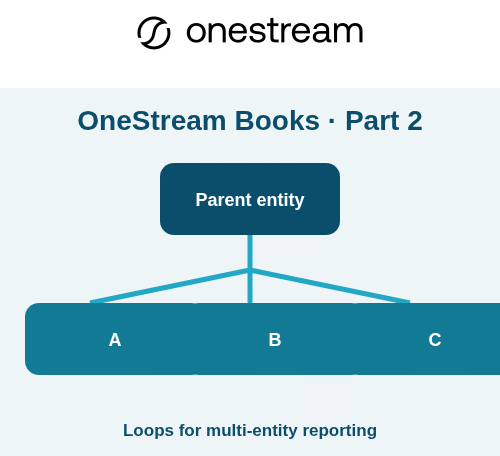
OneStream Books entity loop for multi-entity reporting

OneStream Books: Powerful Multi-Entity Reporting

Build OneStream Books with Entity Loops As noted in the previous blog, OneStream books are an excellent way to deliver reporting packages to your users. Also, in our previous blog, we looked at the basics of creating a book, including organizing books into folders, and created a book that ran several reports for one entity. […]
Read more