

Recently at a client site I had built out a dashboard that allowed users to upload a file and the data from that file would then be loaded to their forecast data for a particular scenario. The process involved providing the users with a CSV File template with step-by-step instructions on how to upload a file using that dashboard. I had walked the users through the process over a Teams meeting call and provided the CSV Template file to be used. Afterwards I thought, why not attach the step-by-step instructions to the dashboard for future reference by the users? Wouldn’t that be better than burying the instructions in some dusty online folder somewhere?
The Solution
Add a button on the dashboard that opens a word doc that contains step by step instructions on how to use the dashboard.
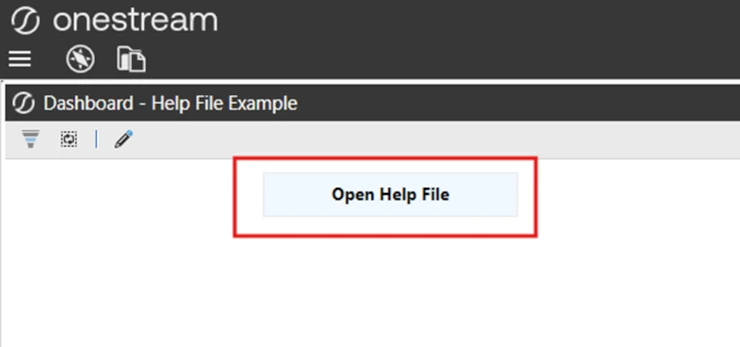
1. Create a standard button within your Maintenance Group.
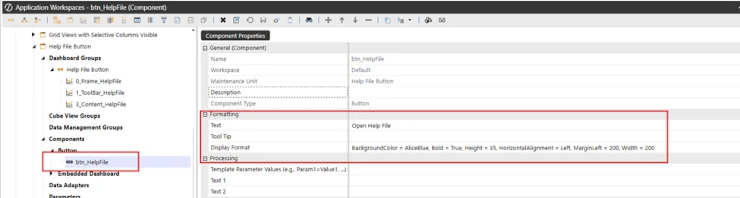
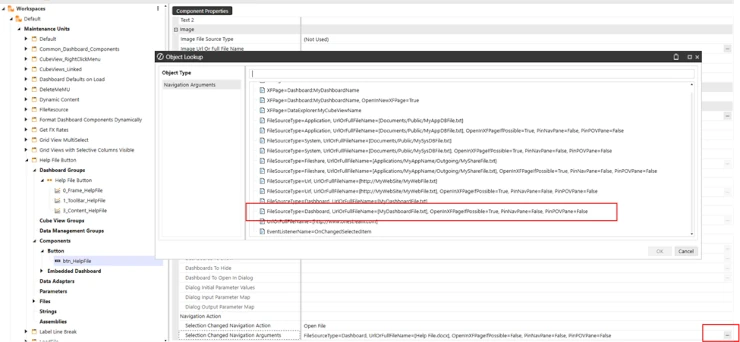
2. In the Navigation Action section of properties for the button, select Open File for the Navigation Action

3. Then in the Navigation Action, from the list, in this case I selected the option to open a Dashboard File (FileSourceType = Dashboard)
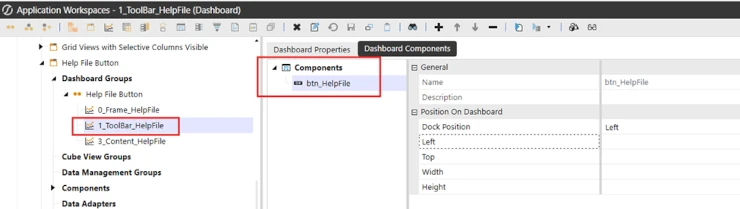
4. Add the button to your dashboard toolbar.
5. Create your Word Document with the Help Instructions.
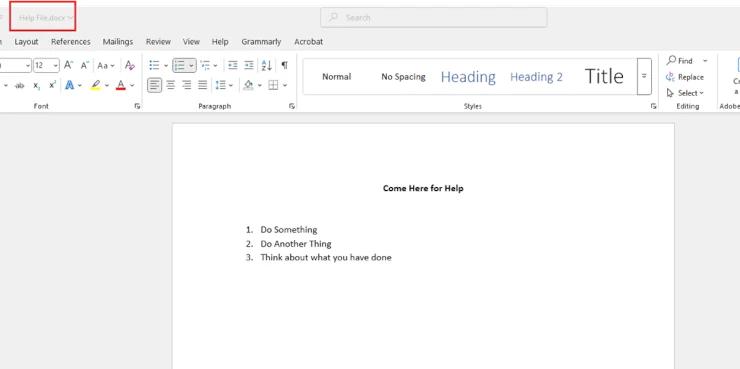
6. Create a Dashboard File Component and upload your word document to it.
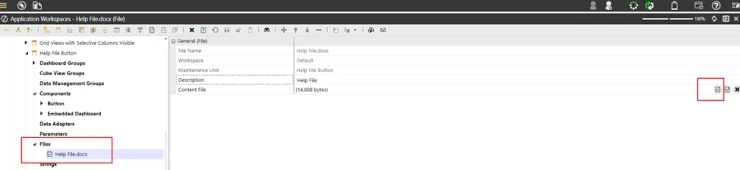
7. Now in the Navigation arguments for the button set the file name parameter to the name of your Dashboard File component and change the OpenInXFPageIfPossible parameter to false.

Now if you run the dashboard and click on the Open Help File Button your word document will open!
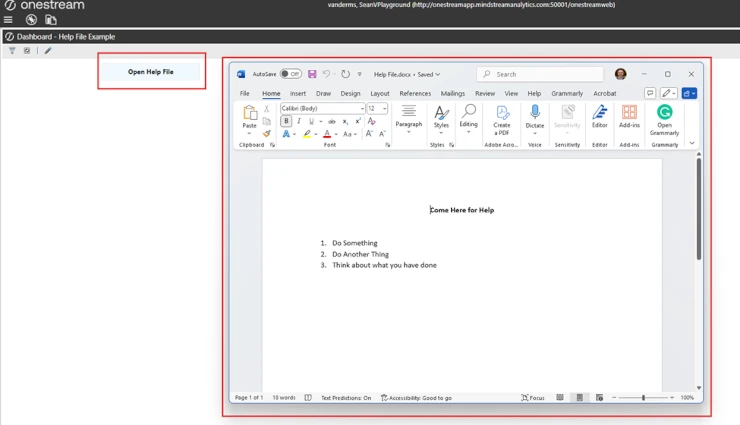
In addition, I used these same steps to add a button that would open the CSV Template file.
These easy to use steps add business value to the application, especially to users after you are no longer on the project.
Documentation is always requested, however typically it resides in a pdf or word doc in some folder or web location that after a couple of months no one can remember the location of. This process easily enhances the user experience, placing the documentation in the same location as the dashboard and easily accessible by all.
