Diagnose load errors in Oracle EPM Data Management with these examples and fixes.
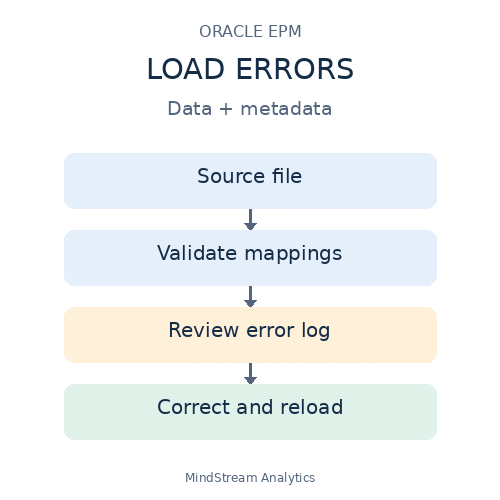
Data Management introduced the ability to load metadata to Oracle EPM Cloud Services in the 17.11 update. This functionality provides organizations the ability to leverage a user-friendly platform for loading both data and metadata. Equally important, Cloud Data Management (CDM) allows metadata to be transformed using its familiar mapping functionality.
However, though this is an exciting user-friendly option, there could still be errors in exporting both metadata and data exporting to the application, particularly when like mapping is used.
Data Load Errors: Interpret the Error Log
For data load errors, the error format is generally the same:
2020-09-21 16:59:43,227 INFO [AIF]: Load data encountered the following errors:
| Error # | Member with error | “Account”,”Entity”,”Version”,”Custom Dimension 1″,” Custom Dimension 1″,” Custom Dimension 2″,” Custom Dimension 3″,”Scenario”,”Year”,”Period”,Amount |
Read the Pipe-Delimited Fields
- The first field is the Error #
- The second field is the member which supposedly causes the error
- The third field is the line or record
The order dimensions in the record may vary depending on the application setup. The error is usually preceded by the following message:
Common Data Loading Error Codes
Error 3303: Member Not Found
| Error: 3303| Mountains | “A100000″,”United_States”,”WIP”,”Mountains”,” East_Coast”,”USD”,”Accounting_Source”,”Actual”,”FY20″,”Jan”,10000 |
Cause: The member that does not exist in the database.
Fix: The member just needs to be added to the database in the related dimension or remapped to member that does exist.
Error 3335: Duplicate Member Names
| Error: 3335 | A100000 | “A100000″,”United_States”,”WIP”,”Mountains”,” East_Coast”,”USD”,”Accounting_Source”,”Actual”,”FY20″,”Jan”,10000 |
Note: This error identifies the first (e.g. Account) dimension as the member that doesn’t exist in the database, but when you check the account dimension, the member exists.
Cause: The error is actually due to duplicate member in a different dimension. The error does not know which member so it chooses the first in the record, but this may not there is a different member in the string that is not in the defined dimension.
Fix:To fix this you will need to identify the member that does not apply to the dimension, then update the source file or remap to a different member that exists in related dimension.
Other Data Loading Error Codes
Error Number Error Contents 3303Member not found in database. 3304Insufficient access to store data. 3333Bad data value supplied. 3335Record rejected because of duplicate member names. 3336Member/Data unknown. 3337Record rejected because of dimension conflicts with Header Name
Metadata Load Errors: Check Member Definitions
With the metadata load process, there could be various errors that will require troubleshooting and/or remapping.
The metadata load errors are different from data load errors.
Invalid Member Length
Accounting_Source_that_is_too_long_for_PBCS_Metadata_And_Needs_to_be_much_shorter_2 |Total_Source| “Accounting_Source_that_is_too_long_for_PBCS_Metadata_And_Needs_to_be_much_shorter_2” is an invalid length
Invalid Parent Member
Wed Sep 30 22:02:57 UTC 2020]com.hyperion.planning.InvalidMemberException: The member Mountains does not exist for the specified cube or you do not have access to it
Other Metadata Loading Causes
In general, the characters * “ and , will potentially cause errors in the load, more specifically
- Descriptions with a character as the first letter in the name (i.e. *DO NOT USE)
- Descriptions with commas in the name when the source file is comma delimited
- Descriptions with quotes at the end – PBCS tries to read the row as one string when there are quotes
- Descriptions that are longer than 80 characters
Verify mappings.