When using parameters in a dashboard the Default Value doesn’t bring back the default value on the parameter settings. The default value can be set with a dashboard extender rule which is a fairly simple process and will be described below.
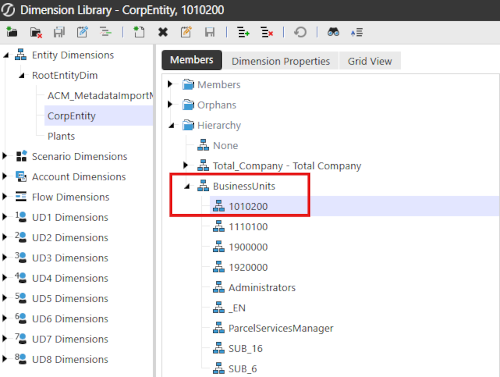
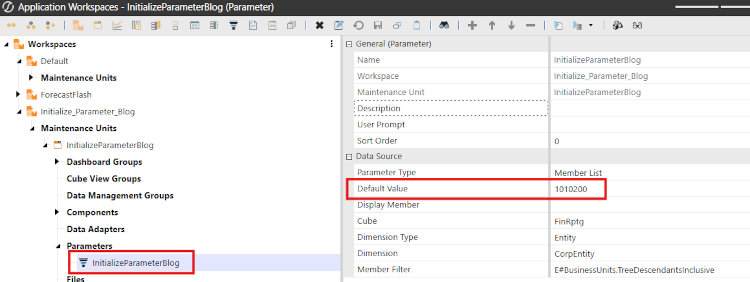
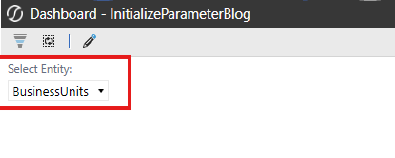
In this example, I have set a default entity value on the parameter, but when using it in a dashboard the default value is not showing up.
- 1. In this simple example, I have set the default value for my parameter to be entity 1010200, however in the dashboard combo box it is coming back with the top entity parent.
-
- 2. There are just a couple steps to get the combo box to default to the entity member that is.
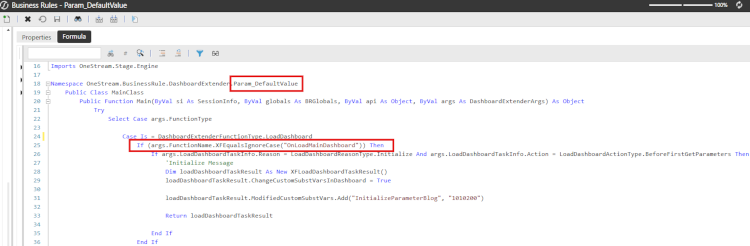
- a.) Create a dashboard extender rule to set the default value for the parameter being used by the combo box

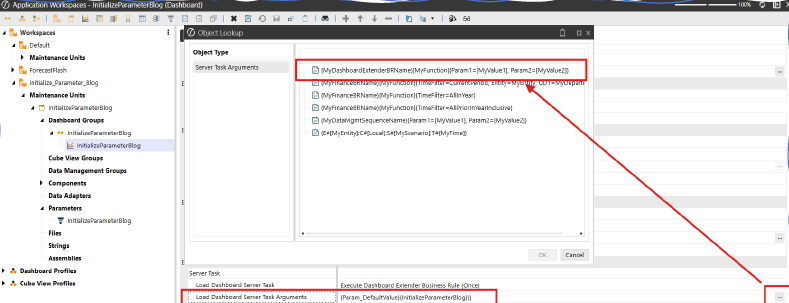
- b.) Add a server task to the dashboard that contains the combo box / parameter that calls the dashboard extender rule and function
-
- If you are unsure of the syntax that is needed for the Load Dashboard Server Task Arguments setting you can click on the ellipses to see the various options. The dashboard extender option is the first one (third screen shot).
- a.) Create a dashboard extender rule to set the default value for the parameter being used by the combo box
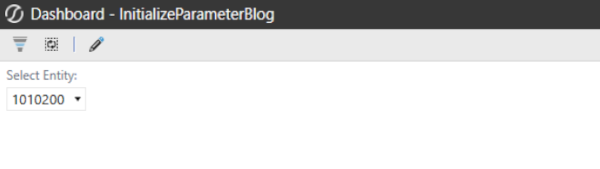
- 3. Now when you run the dashboard, or the dashboard refreshes it will default to the entity member that is desired.
- 4. This was a very simple example, but based on the client’s requirements you can set the default value based on security groups, or other parameter selections within a dashboard as a couple examples. Getting familiar with dashboard extenders and it many uses will help taking your dashboards to a higher level.